
PL/EN

Average company pays for 20-40 SaaS applications and uses only 20% of their features. Monthly subscriptions grow with every new user, and IT budget balloons without control. Most business owners don't even know that Microsoft 365, which they already have, can replace half those subscriptions. This article shows exact plan: how in 4 weeks to inventory applications, calculate real costs, and decide what can move to Power Apps. Decision framework, real case study (€1,200 monthly savings), and concrete examples of replacing CRM, HR tools, or ticketing systems. It's not about revolution - it's about stopping paying twice for same functions. Monthly subscription versus one-time implementation. Choice is yours.
Summary
Average company pays for 20-40 SaaS applications and uses only 20% of their features. Monthly subscriptions grow with every new user, and IT budget balloons without control. Most business owners don't even know that Microsoft 365, which they already have, can replace half those subscriptions. This article shows exact plan: how in 4 weeks to inventory applications, calculate real costs, and decide what can move to Power Apps. Decision framework, real case study (€1,200 monthly savings), and concrete examples of replacing CRM, HR tools, or ticketing systems. It's not about revolution - it's about stopping paying twice for same functions. Monthly subscription versus one-time implementation. Choice is yours.
Story from the automation frontlines
Yesterday I got a call from a client. Standard question: "Marcin, what's killing us?" Answer? "SaaS application costs are devouring IT budget."
After 15 minutes of conversation, the truth comes out - which I encounter in 80% of companies:
This isn't an isolated case. It's an epidemic of overpaying.
Average company pays for 20-40 SaaS applications. Sound familiar?
Check this: Open your company card payment history. Count applications with monthly subscription. Multiply by 12 months.
Shocked? That's normal.
Ghost user fees
Paying for accountant's account that logs in once a month? For intern's account who left six months ago? SaaS doesn't forgive - every added user is money from your pocket.
Integration costs
20 applications = 20 different systems. Each wants to "talk" with the other. Result? Additional fees for API, for synchronization, for "premium connectors".
Endless training
New application = new training. More procedures. More passwords to remember. Employee time costs money too.
Features you don't use
CRM with 500 options, and you use contact list? Project tool with mega capabilities, and you need simple task list? You're paying for potential, not actual usage.
I have a question: Do you know how many features Microsoft 365 has that you're already paying for?
Most companies answer: "Word, Excel, PowerPoint".
Power Apps - building applications without coding
Power Automate - process automation
SharePoint - document sharing and data
Teams - communication and collaboration
Power BI - analytics and reports
OneDrive - file storage
Outlook - email with calendar
OneNote - team notes
And that's just the beginning.
Instead of CRM at €50/month/user:
Power Apps + SharePoint = customer database + contact history + automatic notifications. One-time implementation fee.
Instead of HR tool at €25/month/user:
Power Apps = leave requests + approvals + absence calendar. No monthly fees.
Instead of ticketing system at €30/month/user:
Power Apps = tickets + assignment + status tracking + notifications. One-time implementation.
Stay with SaaS if:
✅ You use 80%+ of features
✅ You have dedicated IT team
✅ Specialized industry tool
✅ Critical integrations with external systems
Consider Power Apps if:
✅ You use <30% of application features
✅ You have Microsoft 365 in company
✅ You need simple processes
✅ You want one-time fee instead of subscription
✅ You care about full data control
Step 1: List all paid SaaS applications
Step 2: For each application answer:
Step 3: Calculate costs over 3 years:
Step 4: Evaluate additional benefits:
Client: medium company, 50 employees
Initial state:
After 6 months:
ROI: Implementation paid back in 8 months.
Myth 1: "It's only for programmers"
Truth: Power Apps is no-code/low-code. You can build applications by "clicking", not coding.
Myth 2: "Microsoft is corporate tool"
Truth: Microsoft 365 works great in small and medium companies.
Myth 3: "SaaS is simpler to implement"
Truth: Power Apps can be implemented in days, not months.
Myth 4: "Can't replace specialized tools"
Truth: 80% of features in most SaaS applications are standard, which Power Apps will handle.
Week 1: SaaS application inventory
Week 2: Usage and cost analysis
Week 3: Identify replacement candidates
Week 4: Consultation with Power Apps expert
First candidate: Choose application you use least but pay most.
Don't migrate if:
❌ Application is business-critical and works perfectly
❌ Team has no time for process change
❌ You have long-term SaaS contract (wait until end)
❌ Application has unique features Power Apps won't replace
Brutal truth: Most companies pay for features they'll never use.
Simple solution: Microsoft 365 + Power Apps often does same thing for fraction of price.
Decision is yours: Keep paying monthly or invest one-time?


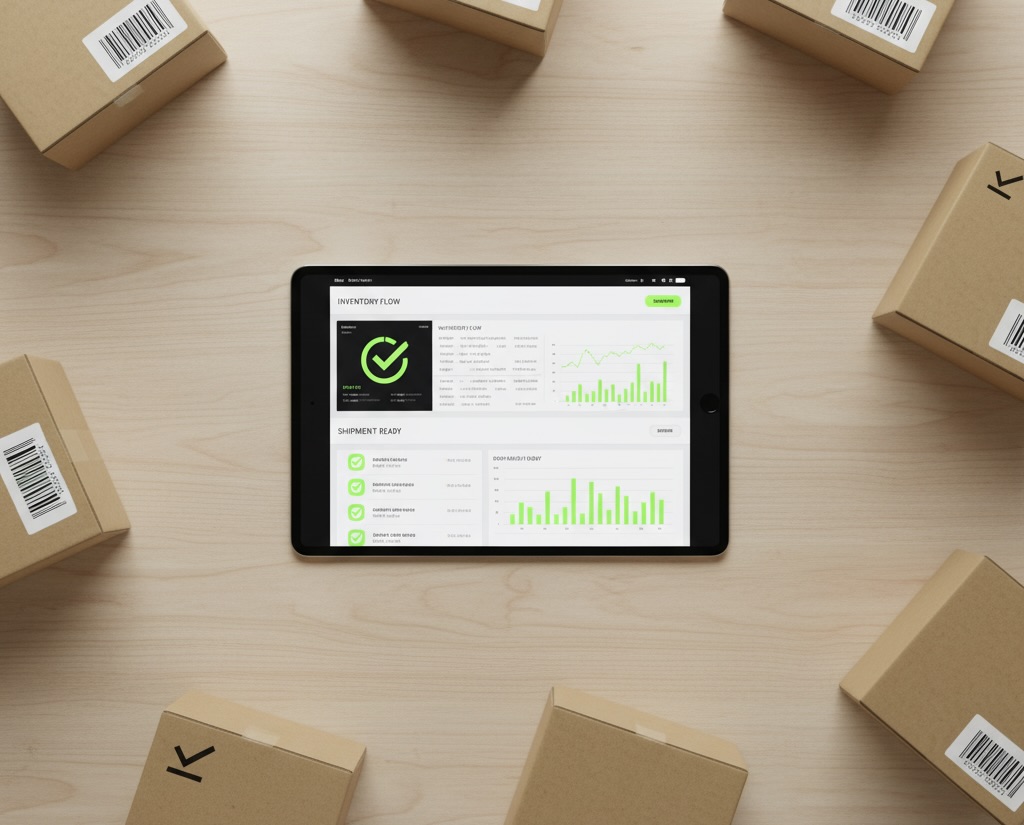
Inventory in your company means several days of closed warehouse, stacks of papers, and hours of data transcription? You're not alone. Most companies still conduct inventory using last-century methods - manually, with errors and gigantic costs. True cost of traditional inventory isn't just wages for counting team. It's primarily halted deliveries, unfulfilled orders, errors in transcribing names from labels, and need to recount same items multiple times. Inventory automation changes these rules. Instead of papers - phone with app. Instead of transcribing names - barcode scanning. Instead of waiting for results - real-time discrepancy view. Instead of closed warehouse - normal work with parallel inventory.
Year-end approaches. For many companies, this means one thing: inventory.
Warehouse closed for several days. Team with papers and pens counting successive shelves. Hours of data entry into system. Errors to catch and correct. Recounting items where results don't match.
Sound familiar?
For most companies, inventory is a process nobody likes. Costly, time-consuming, and frustrating. But it doesn't have to be this way.
In this article, I'll show you why traditional inventory consumes so much time and money, and how automation can change it.
When I ask business owners about inventory costs, I most often hear: "Well, we employ 8 people for a few days, that's X amount."
But that's only tip of iceberg.
True costs are:
One of our clients - medium building materials wholesaler - estimated each inventory costs him about 4 days of normal warehouse operation. That's not just team cost, but primarily lost earning opportunity.
Before we move to solutions, reminder of basics. Inventory is done for two main reasons:
1. Legal requirements
If you run company and have warehouse, you must legally conduct inventory at specified intervals. This isn't option - it's obligation.
2. Inventory control
Sometimes it happens that you sell goods which during order picking turns out... aren't there. Customer waits, you lose credibility. You simply need to count goods and check what's actually in warehouse.
3. Chaos to organize
Many personnel changes, goods rotation, repackaging - after some time warehouse becomes chaotic. Inventory is way to "reset" - recount everything, check what's there, and start working again with clean data.
From experience I know biggest difficulties appear in three places:
Warehouse worker stands with paper and pen. Transcribes product name from label, from box, from bottle.
"ACRYLIC PAINT WHITE 2.5L" becomes on paper "ACRYL PAINT WHITE 25L".
Error? Of course. But completely understandable - it's tenth box in row, hand hurts from writing, names are similar.
These errors appear ALWAYS when there's manual transcription element.
If you don't have any system supporting order picking or goods receipt - you must close warehouse to conduct inventory.
That's first gigantic cost. You must refuse delivery acceptance. You must tell customers that for several days you won't fulfill orders. You lose revenue.
You already have counted papers. Now someone must transcribe this data into warehouse system. More hours of manual work. Another chance for error.
And then it turns out discrepancies are large and counting must start over...
When together with clients we started analyzing what hurts most in inventory process, we reached conclusion: most problems result from manual data entry.
We created application in Microsoft 365 that eliminates these pain points.
Application imports product data directly from your warehouse system - Subiekt, Optima, Insert, or other program.
Warehouse worker no longer transcribes names from labels. Simply scans barcode with phone, tablet, or regular reader.
One beep - product recognized. Enters quantity. Done.
Effect? Zero errors in product names. Counting process proceeds several times faster.
With modern warehouse management systems, you don't need to close entire warehouse during inventory.
Our application works in cloud, so you see results live. You don't need to wait until everyone counts all shelves to know first results.
Warehouse works normally, and inventory happens in parallel. Of course this requires good organization, but it's possible.
Here's real magic.
While your team counts goods, you see in real time differences between system state and what's been counted.
You see 50-unit discrepancy on "white paint" item? You can immediately send second person to recount only that one item.
You don't need to wait until end to discover problem. You don't need to make them count entire warehouse again.
You order recounting only where there are doubts.
This saves hours, sometimes days of work.
End of inventory usually means more hours of work - you need to generate RW (internal release) and PW (internal receipt) documents, i.e., documents showing losses and surpluses.
Our application generates them automatically. Accountant gets ready documents for booking. Inventory sheets can be exported to PDF or left in electronic version.
No manual transcription. No errors.
One of our clients - food products wholesaler - did inventory twice yearly. Each time same thing:
After implementing our application:
Most important? Owner knows in real time how inventory progresses. Doesn't need to wait 4 days to find out if there are any major discrepancies.
Good news: you probably already have most of what you need.
Equipment:
Software:
Preparation:
You don't need to buy expensive warehouse terminals or change your current system. Application works as "overlay" that supports inventory process.
If reading this article you recognized your company's problems, worth considering inventory automation.
First step is always analysis:
Second step is demo:
Best to see application in action. We show how process looks from beginning to end - from importing goods, through counting on phone, to generating documents.
Third step is implementation:
Preparing application for your needs, data import, team training. Usually takes a few days.
Inventory automation isn't revolution - it's evolution. Instead of papers you use phone. Instead of transcribing names, you scan codes. Instead of waiting until end, you see results live.
Benefits are obvious:
And most important - your warehouse workers will stop fearing inventory.
Process becomes simpler, faster, and more user-friendly.
Want to see how this looks in practice?
We prepared detailed video showing inventory application in action - from goods import, through code scanning, to document generation.
👉 Watch video: Inventory automation in Microsoft 365
Want to check if this solution will work in your company?
Schedule free consultation. We'll show you exactly how application works, answer all questions, and help evaluate what savings you can achieve.

Artificial intelligence is no longer a futuristic vision. It's a practical tool changing business today. Discover 10 proven AI applications that unlock team potential and deliver immediate benefits.
"Automation isn't a cost. It's an investment."
I repeat this quote at every client meeting. Often met with laughter. Then tears, when they see how much time their teams waste.
The truth is: in every company there's a mass of tasks NOBODY does because there's no time.
Sound familiar?
In this article, I'll present 10 practical AI applications that solve real business problems. This isn't theory – these are solutions I implement in Polish companies every month.
Just 2-3 years ago, AI technologies were expensive, inaccessible, and required specialized knowledge. Today they are:
Additionally, Microsoft integrated AI with tools your company probably already uses (Microsoft 365, Teams, SharePoint), which radically lowers the entry barrier.
Problem: Employees waste average 36 minutes daily searching for information in company documents.
AI Solution: Assistant that knows all company documents and answers questions in seconds.
How it works in practice:
Imagine you can ask: "What are the warranty terms in the contract with company X?" or "Find invoice from Grzegorz Szymański" and instantly receive an answer with source document link. No more folder and file searching.
Benefits:
Problem: Repetitive customer inquiries take support team time.
AI Solution: System analyzing inquiry content and suggesting responses based on previous interactions.
How it works in practice:
When a customer sends an inquiry, the system automatically categorizes it, finds similar historical inquiries, and suggests a response to the consultant. Doesn't replace humans, but makes them respond faster and more consistently.
Benefits:
Problem: Manual contract and legal document analysis takes enormous time and is error-prone.
AI Solution: System detecting potential risks in contracts and documents.
How it works in practice:
After uploading a contract to the system, AI identifies key clauses, compares them with accepted standards, and indicates potential risks or inconsistencies. Additionally can monitor regulatory changes and alert about necessary document adjustments.
Benefits:
Problem: Manual invoice data entry into financial systems.
AI Solution: System automatically reading invoice data (AI-assisted OCR).
How it works in practice:
Invoice enters system (email, scan), AI reads all essential data (date, amount, supplier, cost category), enters it into system and categorizes. Additionally can send payment reminders and flag discrepancies.
Benefits:
Problem: CV analysis and candidate matching to position requirements.
AI Solution: System evaluating candidate fit based on CV and position requirements.
How it works in practice:
System analyzes dozens or hundreds of CVs, extracts key skills and experience, then ranks candidates by requirement fit. Additionally can indicate competency gaps and suggest interview questions.
Benefits:
Problem: Threat detection in IT systems becomes increasingly difficult.
AI Solution: System monitoring network traffic patterns and detecting unusual activity.
How it works in practice:
AI analyzes normal network traffic, learns typical patterns, and quickly detects anomalies indicating cyberattack or security breach. Additionally can analyze source code for potential vulnerabilities.
Benefits:
Problem: Generic marketing campaigns with low conversion.
AI Solution: System analyzing customer behavior and personalizing communication.
How it works in practice:
AI segments customers based on behavior, preferences, and history, then automatically adjusts content, timing, and communication channel. Additionally can predict conversion probability and suggest most effective actions.
Benefits:
Problem: Inefficiencies and delays in supply chain.
AI Solution: System predicting potential problems and suggesting solutions.
How it works in practice:
AI analyzes historical data, identifies patterns, and predicts potential delays or bottlenecks. System can suggest alternative supply paths, optimize inventory levels, and predict material needs.
Benefits:
Problem: Difficulties detecting production defects and predicting failures.
AI Solution: System analyzing sensor and camera data, predicting potential defects and failures.
How it works in practice:
AI monitors sensor data in real time, detects anomalies indicating potential failure or production defects. System learns from historical data, becoming increasingly accurate at predicting problems.
Benefits:
Problem: Time-consuming report creation from multiple data sources.
AI Solution: System automatically combining data and generating reports with AI commentary.
How it works in practice:
AI pulls data from various systems, harmonizes it, then generates reports with key metrics and insights. System can also proactively alert about significant changes and trends.
Benefits:
AI implementation may seem overwhelming, but doesn't have to be. Here's a simple process that worked for my clients:
Begin by identifying most time-consuming processes in your company:
As I tell clients: "You can't automate chaos. Automating chaos results in chaos."
Before implementing AI or automation, always:
Choose one well-defined process for automation. Quick success builds momentum and trust in organization.
Simultaneously, develop long-term automation strategy that includes:
Always set measurable goals before starting implementation and consistently monitor progress:
Automation and AI don't replace people – they change the nature of their work. Invest in training and development so your team can fully leverage new technologies' potential.
Artificial intelligence stopped being an abstract future technology. It's a practical tool that already now solves real business problems.
Companies that quickly adapt these technologies gain competitive advantage not through workforce reduction, but by unlocking their teams' potential.
As one of my clients once said: "AI didn't replace my employees. It replaced tasks my employees hated."
Want to learn more? Download the full list of 100 practical AI applications in business at erait.pl/100 or watch my YouTube video showing these applications in practice.

W dzisiejszym dynamicznie rozwijającym się świecie biznesu, efektywne zarządzanie informacjami o produktach (Product Information Management, PIM) jest kluczowe dla sukcesu przedsiębiorstwa. Narzędzie PIM oparte o SharePoint listy to rozwiązanie, które umożliwia przedsiębiorstwom wszystkich rozmiarów skuteczne zarządzanie danymi produktowymi.
W dzisiejszym dynamicznie rozwijającym się świecie biznesu, efektywne zarządzanie informacjami o produktach (Product Information Management, PIM) jest kluczowe dla sukcesu przedsiębiorstwa. Narzędzie PIM oparte o SharePoint listy to rozwiązanie, które umożliwia przedsiębiorstwom wszystkich rozmiarów skuteczne zarządzanie danymi produktowymi, od informacji statycznych po multimedia, takie jak zdjęcia. W tym artykule przyjrzymy się, jak narzędzie PIM na platformie SharePoint może przyczynić się do optymalizacji procesów biznesowych i ułatwić zarządzanie asortymentem produktowym w Twojej firmie.
SharePoint, będący częścią pakietu Microsoft 365, oferuje bogaty zestaw funkcji, które wspierają efektywną współpracę i zarządzanie dokumentacją w firmie. Użycie SharePoint jako podstawy dla narzędzia PIM pozwala na wykorzystanie istniejącej infrastruktury i integrację z innymi narzędziami Microsoft, takimi jak Microsoft Teams czy Excel, co zapewnia płynne i zintegrowane środowisko pracy.
Implementacja PIM na platformie SharePoint oferuje firmom możliwość efektywnego zarządzania wszystkimi aspektami informacji o produktach w jednym, zintegrowanym miejscu. Jest to szczególnie wartościowe w kontekście rosnącej konkurencji i wymagań rynkowych, gdzie szybkie i precyzyjne zarządzanie informacjami produktowymi staje się krytycznym elementem sukcesu. Dzięki PIM na SharePoint, firmy mogą lepiej zarządzać swoimi produktami, co przekłada się na lepszą obsługę klienta, efektywniejsze działania marketingowe i ostatecznie – wzrost biznesu.
Zobacz jak to działa na demo.

.png)


